Safety & trust

Keeping BiyeHobe safe

Looking for a spouse means trusting strangers with a lot. Here is what the app does to protect you, and what we do when someone breaks the rules.

Verification

Verified people

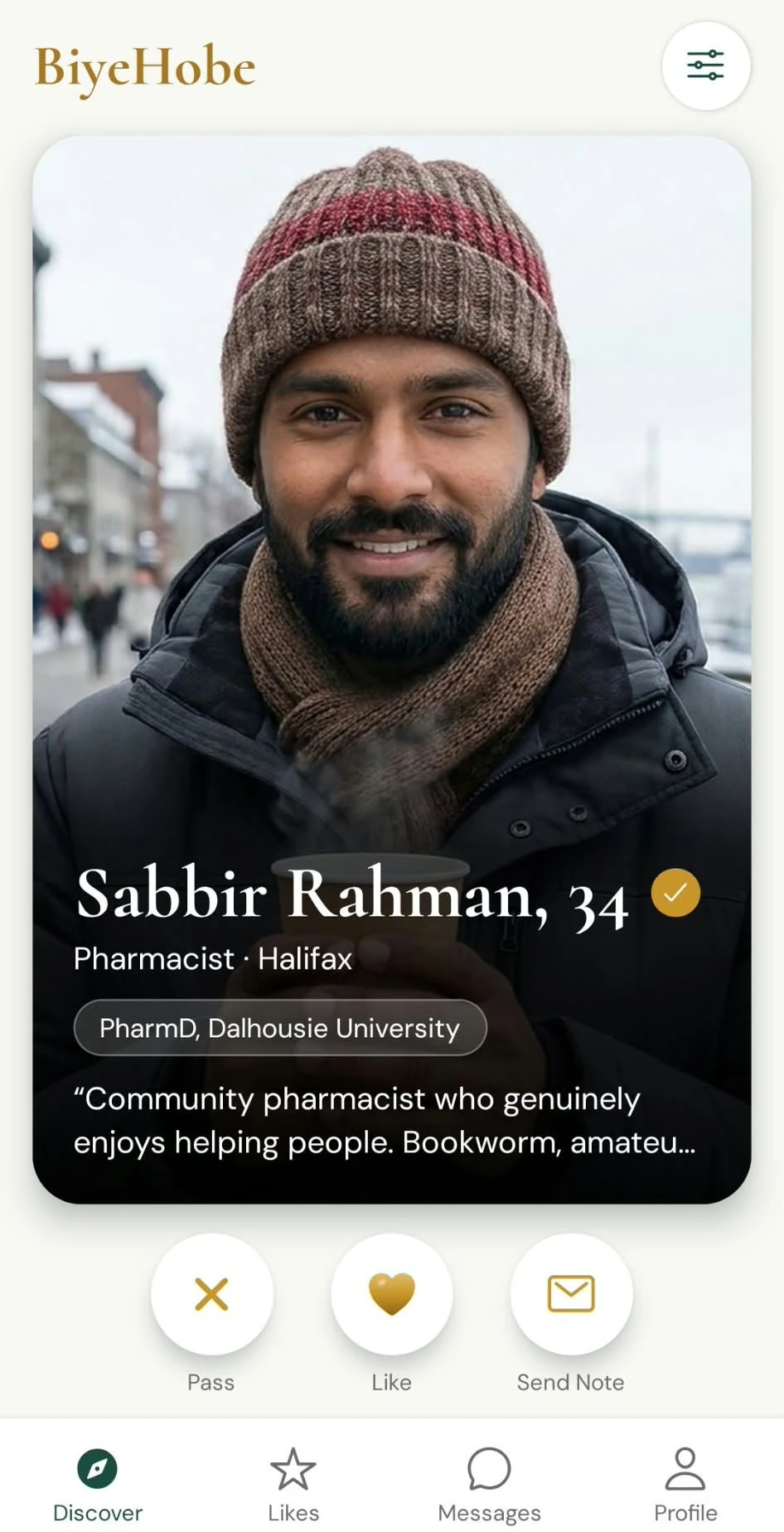
The ✓ means two things passed: a live selfie check, run by our partner Didit, and a match between your main photo and that selfie.

Someone using another person's photos can't pass the match, so they can't get the ✓. It shows only when both checks pass.

Verifying is optional, and there's no ID check. Details we can't check, like education and job, are shown as self-reported.
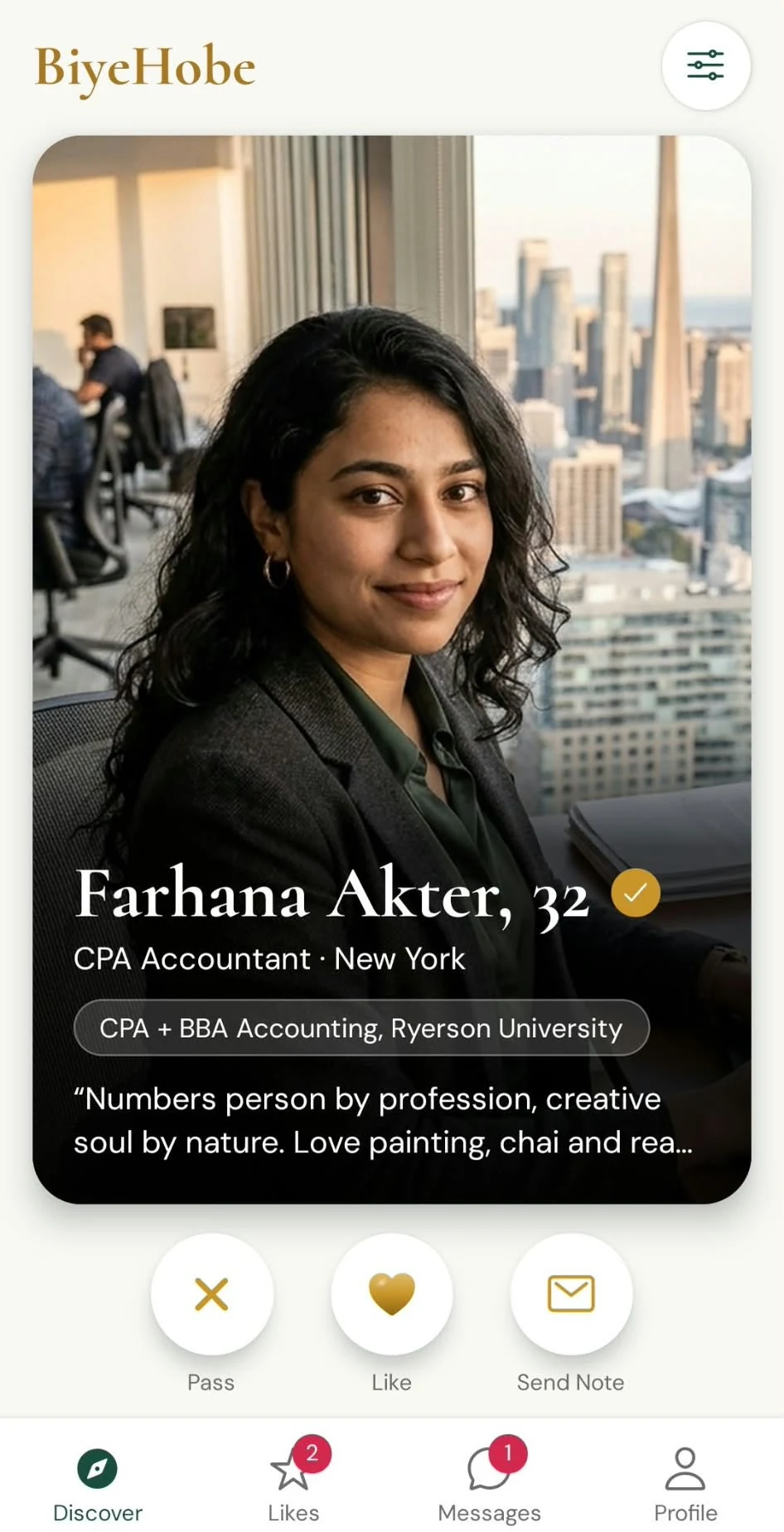
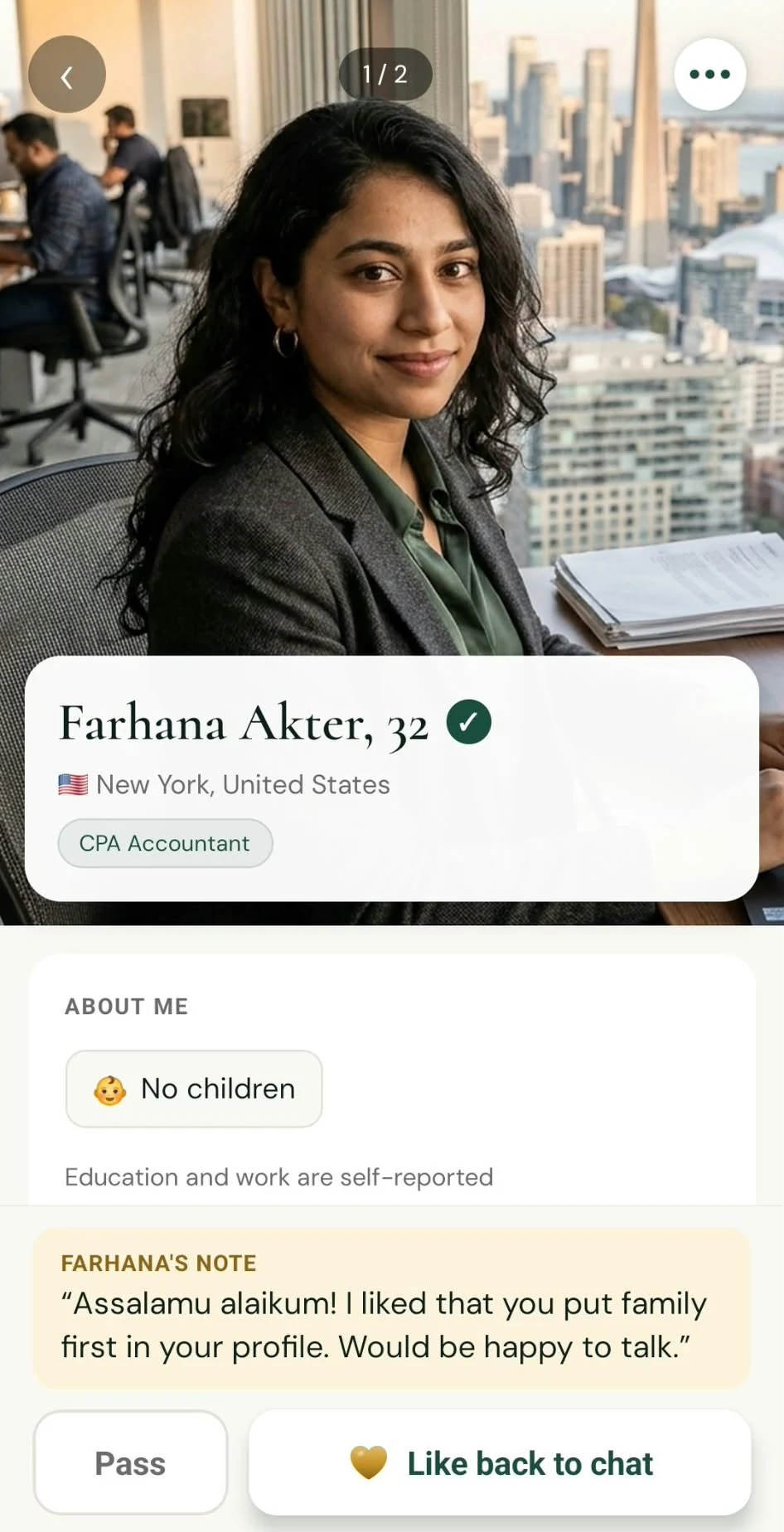
  • A woman's profile card in Discover with a gold verified tick next to her name, Farhana Akter, 32
  • A man's profile card in Discover with a gold verified tick next to his name, Sabbir Rahman, 34
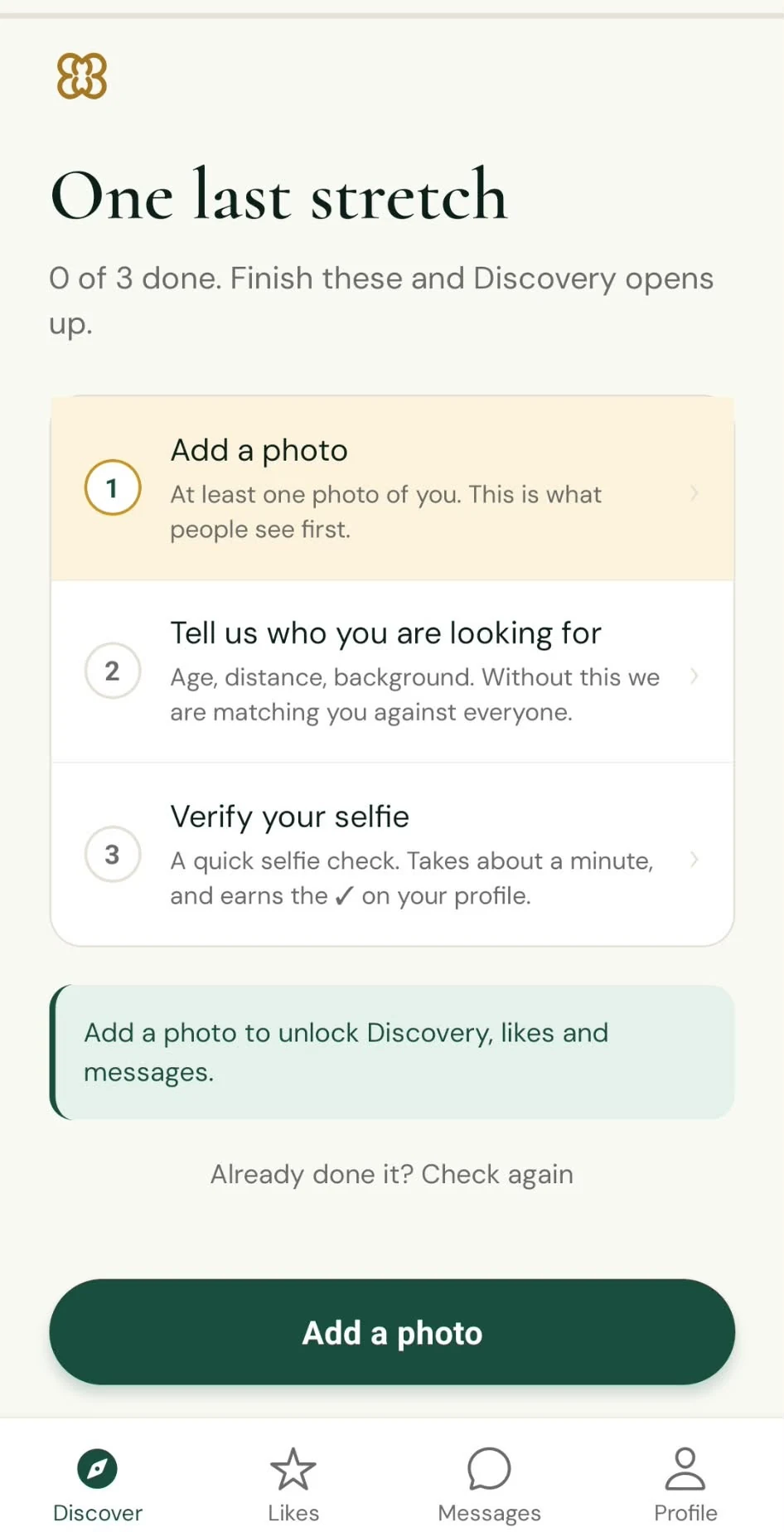
  • The One last stretch screen listing three steps: add a photo, say who you're looking for, and verify your selfie to earn the ✓

App screens shown with fictional, illustrative profiles.
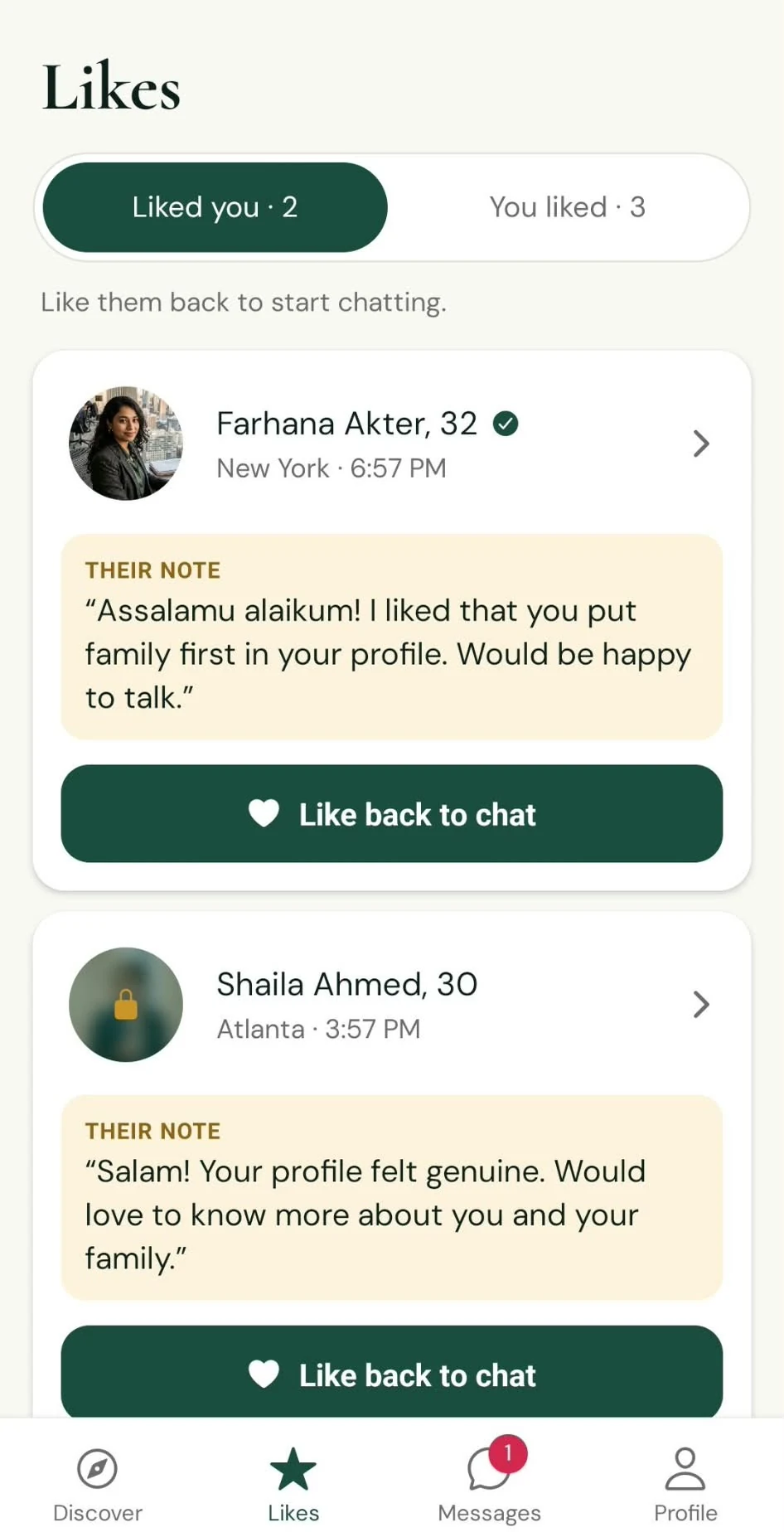
Photo blur

Your photos, your choice

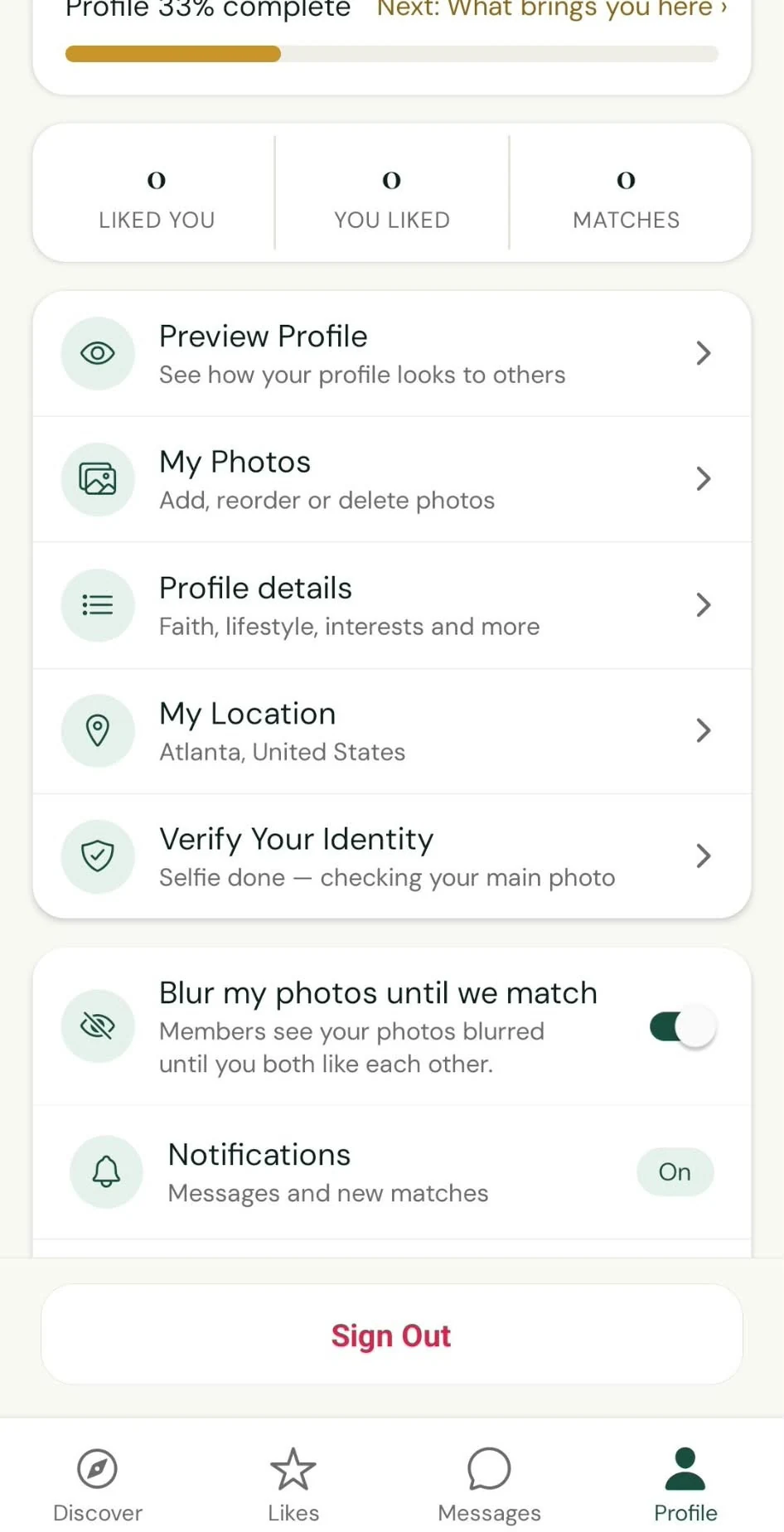
Turn on “Blur my photos until we match” in Profile, and other members see your photos blurred until you both like each other.

It's off unless you turn it on, and you can change it any time.

The blur works inside the app. It doesn't stop someone you match with from taking a screenshot.

  • The Likes screen: one person's photo is clear, another is blurred with a lock until you both like each other
  • The Profile screen with the switch Blur my photos until we match turned on

App screens shown with fictional, illustrative profiles.
Messages

No unwanted messages

Nobody can message you unless you both like each other.

A like can carry one short note, so someone can say why they're interested without opening a chat.

Discover shows only the opposite gender.

  • A profile with a short note sent with a like, and a Like back to chat button
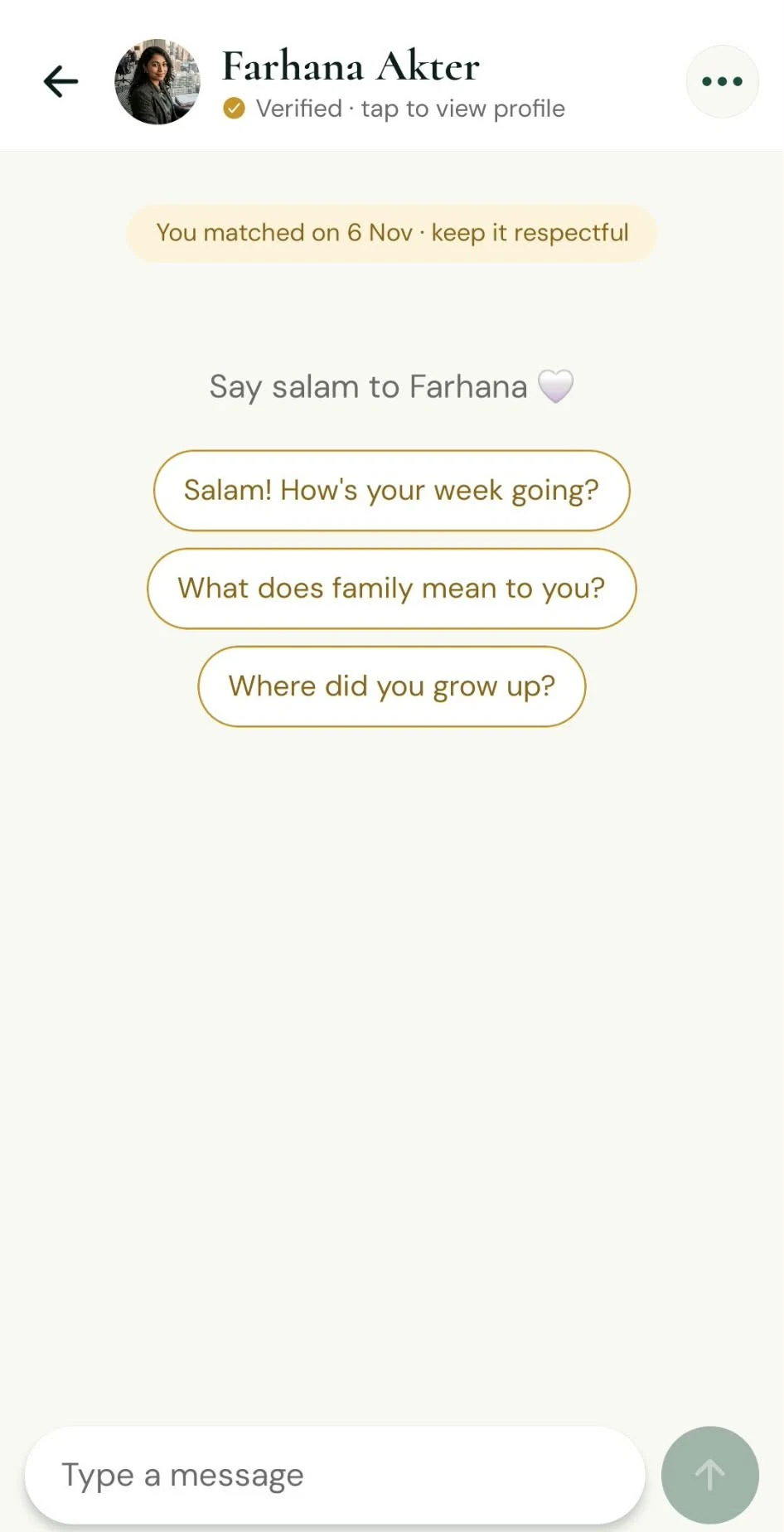
  • A new chat after a match, suggesting a first message: Say salam to Farhana

App screens shown with fictional, illustrative profiles.
If something is wrong

Report, block, unmatch

From any profile or chat you can report, block, unmatch or withdraw a like.

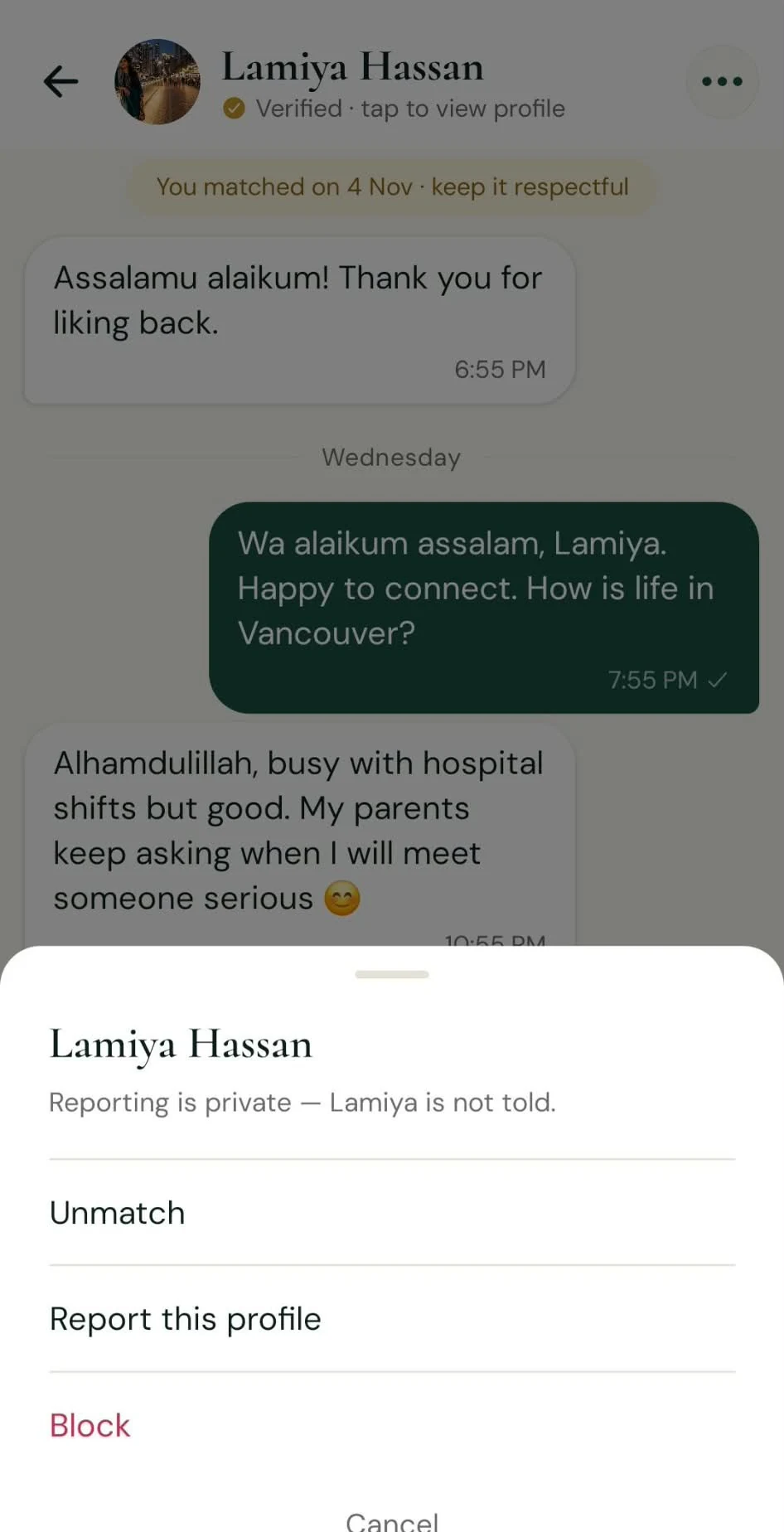
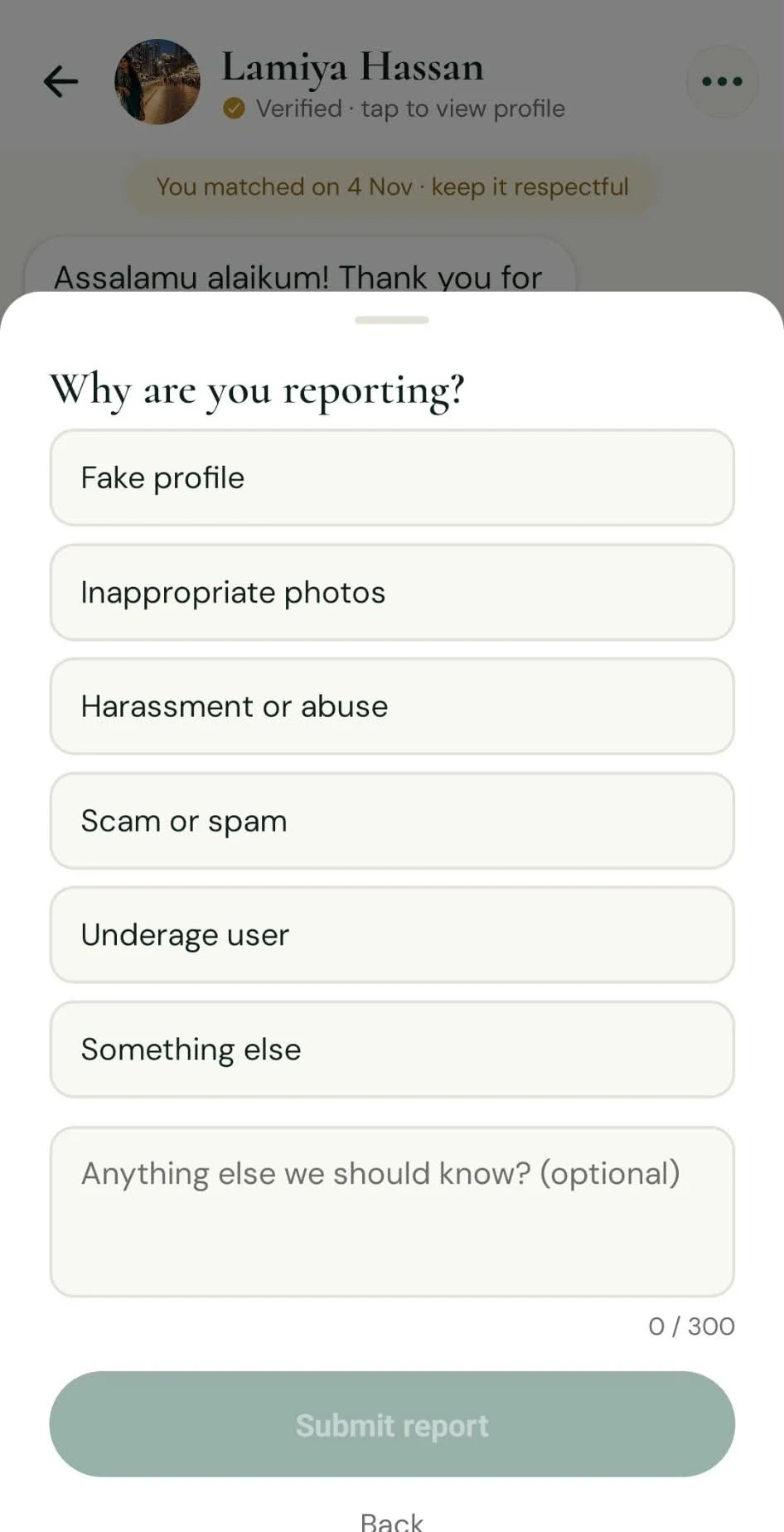
A report has six reasons to choose from: fake profile, inappropriate photos, harassment or abuse, scam or spam, underage user, or something else. The person is never told who reported them.

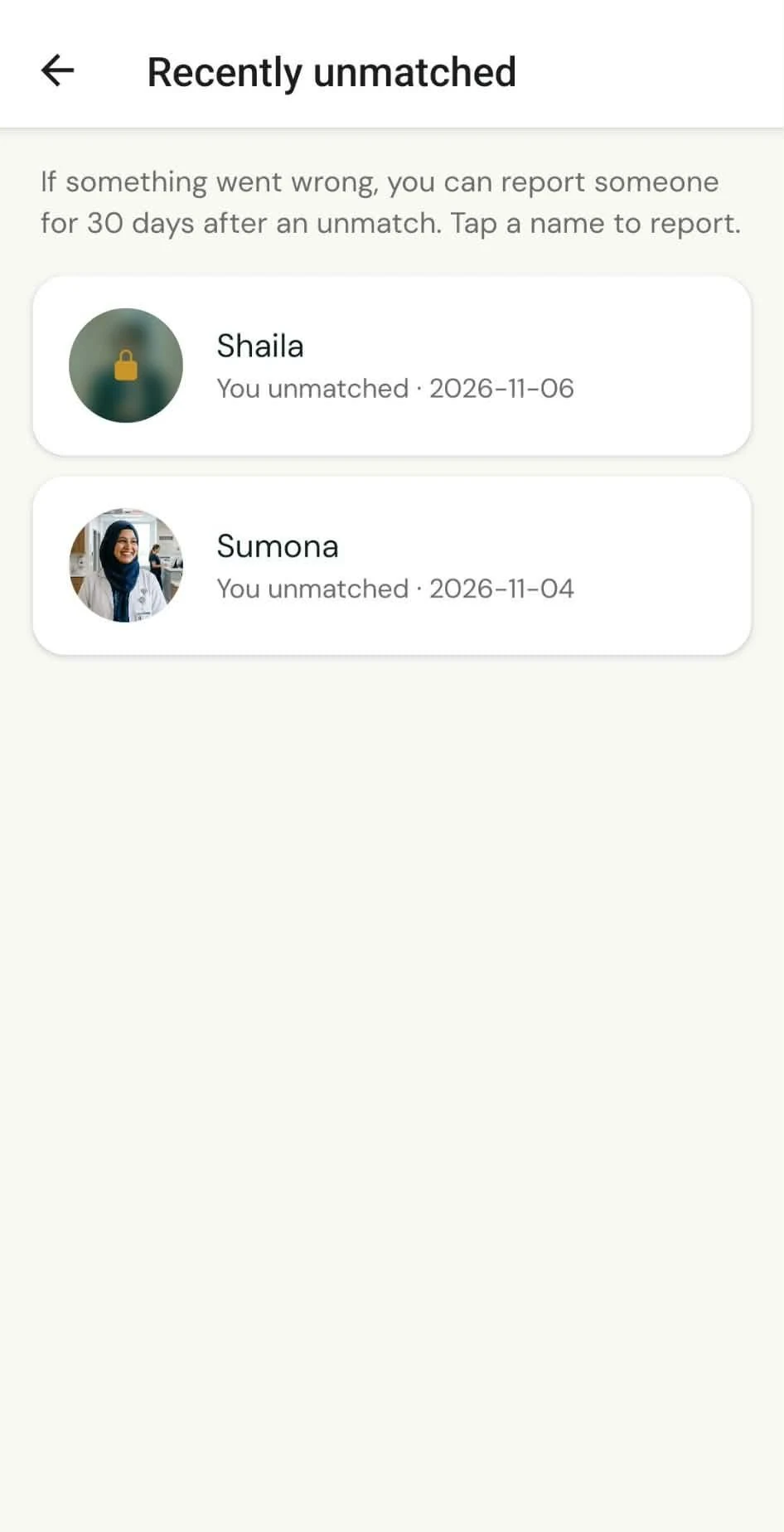
Unmatched someone and then realised something was off? You can still report them for 30 days, from “Recently unmatched”.

  • The menu in a chat with Unmatch, Report this profile and Block, and the line: Reporting is private, Lamiya is not told
  • The Why are you reporting screen with six reasons: fake profile, inappropriate photos, harassment or abuse, scam or spam, underage user, something else
  • The Recently unmatched screen: you can report someone for 30 days after an unmatch

App screens shown with fictional, illustrative profiles.
Our policy

What happens when someone is reported

Every report is reviewed by a person. A report alone never removes anyone.

The reporter's identity is never shared.

Location

Your location

Other members see your city, never your exact location.

BiyeHobe is open to Bangladeshis worldwide, so you can find someone close to home or across the world.

Your data

Your data, your control

You can delete your account any time, from Settings in the app.

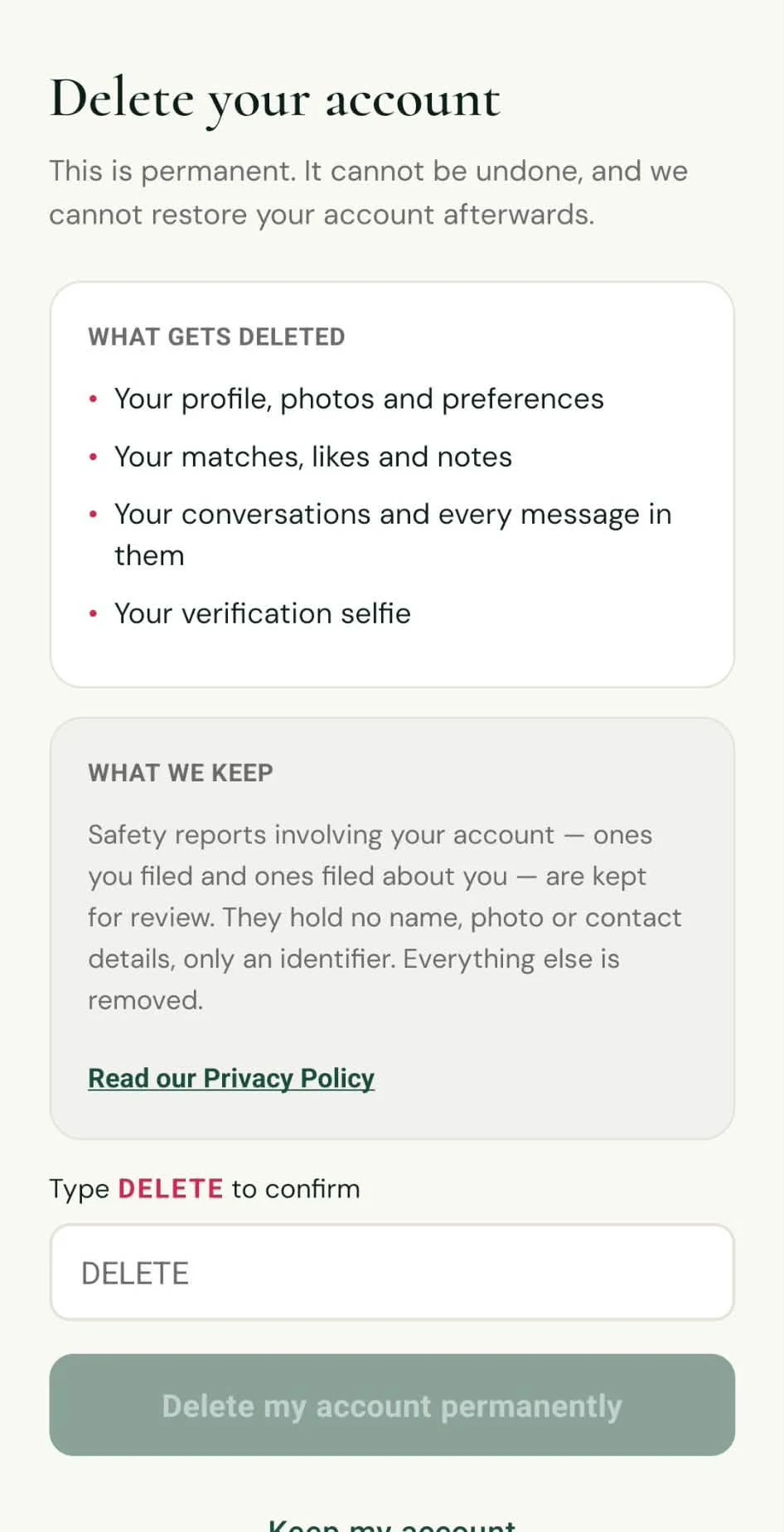
What's deleted and the few safety records we keep are set out in our Privacy Policy and on Delete your account.

  • The Delete your account screen listing what gets deleted and the few safety records that are kept

App screens shown with fictional, illustrative profiles.
In the app

Safety tips

  1. Keep the chat here at first

    Take your time before sharing a phone number, social media or where you work.

  2. Never send money

    No one with honest intentions asks for money, gift cards or crypto. Report it.

  3. Involve your family

    Let a parent or sibling know who you're talking to, and include them when you're ready to meet.

  4. Meet in public

    First meetings belong somewhere busy, with your own way there and back.

  5. Control your photos

    Turn on “Blur my photos until we match” if you'd rather wait.

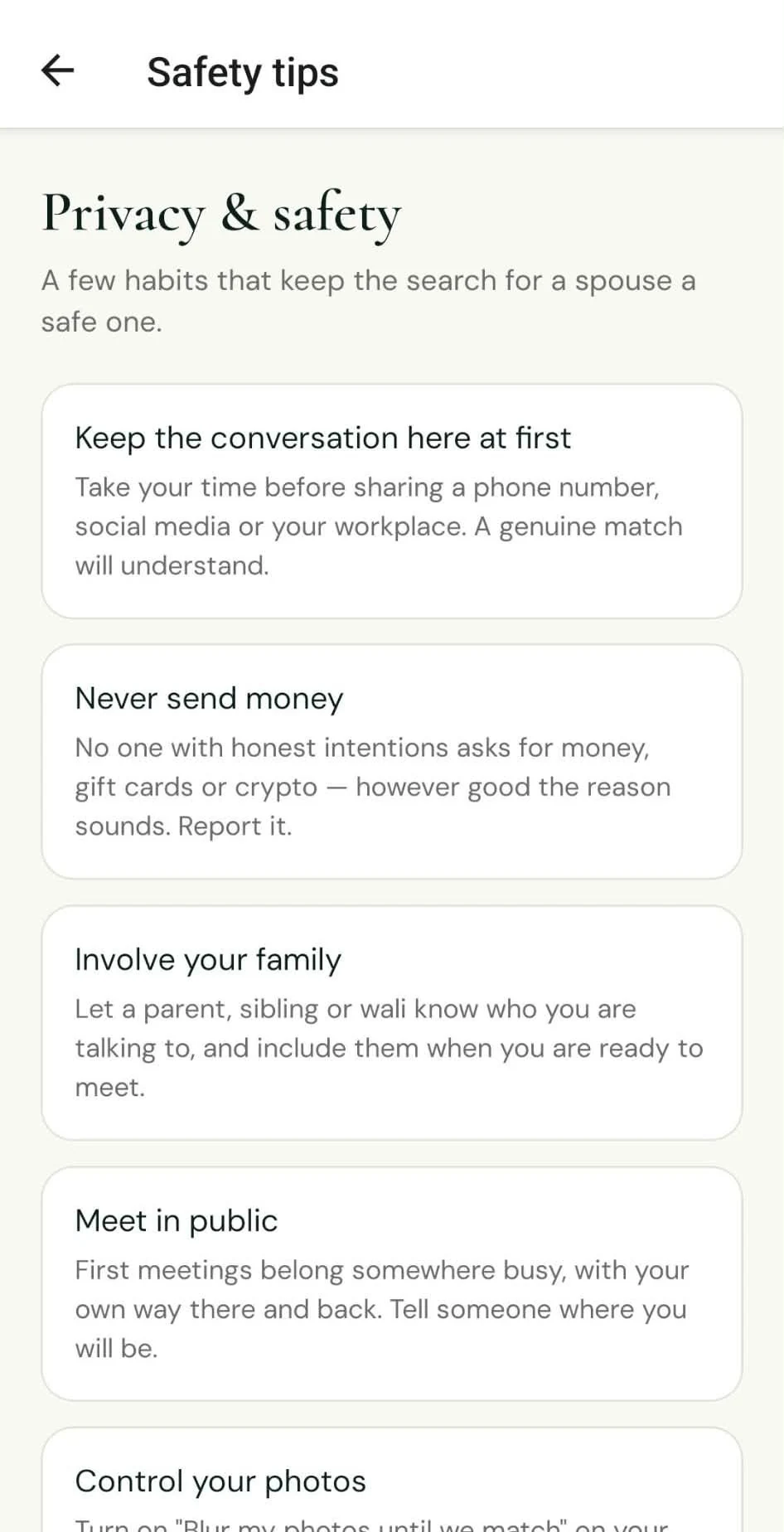
  • The Safety tips screen in the app: keep the conversation here at first, never send money, involve your family, meet in public

App screens shown with fictional, illustrative profiles.
Something wrong?

Report it in the app, or email hello@biyehobe.com.